








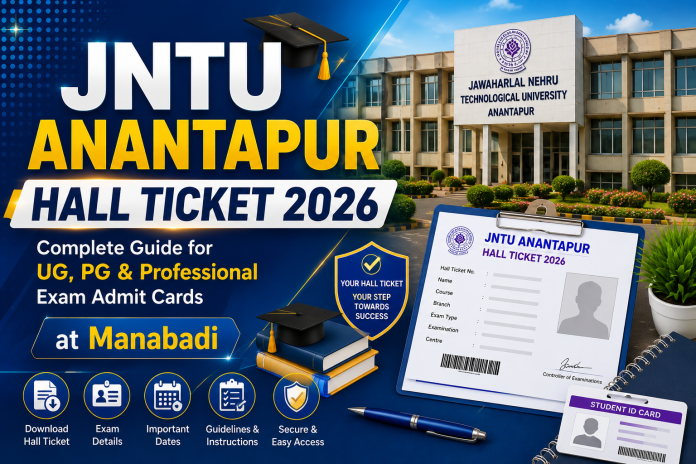
JNTU Anantapur Hall Ticket 2026: Jawaharlal Nehru Technological University Anantapur (JNTUA) conducts regular and supplementary examinations for thousands of students enrolled across its constituent and affiliated colleges in Andhra Pradesh. Whether you are an undergraduate (UG) engineering student, a postgraduate (PG) scholar, or pursuing pharmacy and management programs, holding a valid official hall ticket is mandatory to enter the examination hall.
The University Examinations Branch publishes admit cards online for all regular and supplementary exams through the official web portal jntua.ac.in and the dedicated student portal.
Contents
- 1 JNTUA Examination Framework: Complete Course Coverage
- 2 1. Undergraduate (UG) Courses
- 3 2. Postgraduate (PG) Courses
- 4 3. Doctoral & Professional Doctorate Courses
- 5 Hall Ticket Generation Process: Autonomous vs Affiliated Colleges
- 6 Step-by-Step Guide: How to Download JNTUA Hall Ticket Online
- 7 Important Information Verification Checklist
- 8 Mandatory Exam Day Instructions & Guidelines
- 9 Frequently Asked Questions (FAQs)
- 10 Conclusion
JNTUA Examination Framework: Complete Course Coverage
JNTU Anantapur releases admit cards separately for regular, supplementary, special supplementary, and mid-term examinations across the following academic programs:
1. Undergraduate (UG) Courses
- B.Tech (Bachelor of Technology): All branches (CSE, ECE, EEE, Mechanical, Civil, AI & DS, IT) across R15, R19, R20, and R23 regulations.
- B.Pharm (Bachelor of Pharmacy): 4-Year degree program under PCI regulations.
- BBA & BCA: 3-Year undergraduate professional programs.
2. Postgraduate (PG) Courses
- M.Tech (Master of Technology): All specializations across I & II Semesters.
- M.Pharm (Master of Pharmacy): All specializations across PCI regulations.
- MBA (Master of Business Administration): 2-Year degree across all regulations (R21, etc.).
- MCA (Master of Computer Applications): 2-Year / 3-Year postgraduate degree programs.
3. Doctoral & Professional Doctorate Courses
- Pharm.D (Doctor of Pharmacy): 6-Year regular program (Years I, II, III, IV, V, & VI).
- Pharm.D – Post Baccalaureate (PB): 3-Year specialized doctorate program.
- Pre-Ph.D / Ph.D Coursework Exams: Examinations for registered research scholars.
Hall Ticket Generation Process: Autonomous vs Affiliated Colleges
JNTU Anantapur follows a dual-issuance model for distributing examination hall tickets depending on the college structure:
                          JNTUA Examination Branch
                                     │
          ┌──────────────────────────┴──────────────────────────┐
          ▼                                                     ▼
 [ Affiliated Colleges ]                               [ Autonomous Colleges ]
  • Exam Fee paid online via Student Portal             • Hall Tickets issued via College Portal
  • College Principal endorses hall ticket              • Direct student download or offline distribution
  • Issued online via jntua.ac.in or College Exam Cell  • Managed by internal Autonomous Exam Cell
- Affiliated Non-Autonomous Colleges: Hall tickets are processed through the JNTUA Examination Portal. Candidates can either download their hall tickets directly via the JNTUA Student Portal (
jntuastudentportal.ac.in) using their Roll Number and Password or collect physical stamped copies directly from their respective College Examination Cell. - Autonomous Constituent Colleges: Autonomous colleges affiliated with JNTUA issue admit cards through their internal student portals or examination counters.
Step-by-Step Guide: How to Download JNTUA Hall Ticket Online
Students appearing for semester regular or supplementary examinations can download their admit card by following these steps:
- Visit Official Website: Open the JNTU Anantapur web portal at jntua.ac.in or jntuastudentportal.ac.in.
- Navigate to Examination Branch: Click on the “Examinations” or “Student Portal” tab on the navigation menu.
- Select Your Course & Semester: Click on the notification titled “Download Hall Ticket for B.Tech / B.Pharm / MBA / MCA / M.Tech Examinations” corresponding to your regulation (e.g., R20, R23).
- Enter Login Credentials: Input your Hall Ticket Number (HT No.) / Registration Number and Date of Birth / Password.
- View & Print Admit Card: Verify all subject codes and dates printed on the hall ticket.
- College Seal Requirement: Download the PDF and ensure it bears the official stamp and signature of your College Principal/Exam In-charge before appearing at the exam center.
Important Information Verification Checklist
After downloading the admit card, cross-check the following particulars carefully:
- Candidate Name and Father’s Name
- Roll Number / Registration Number
- Course Name, Branch, and Academic Regulation (e.g., B.Tech CSE R23)
- Exam Center Code, Name, and Full Venue Address
- Subject Codes, Subject Titles, and Exam Dates
- Candidate Photograph and Digital Signature
- Official Instructions and Exam Day Rules
Mandatory Exam Day Instructions & Guidelines
- Printout Requirement: Carry a clear, printed copy of the hall ticket along with a valid College Identity Card or Government Photo ID (Aadhaar Card, Driving License, Voter ID).
- Principal Attestation: Hall tickets downloaded online must be duly signed/verified by the Principal or Controller of Examinations of the respective college.
- Prohibited Items: Electronic gadgets, mobile phones, programmable calculators, smartwatch devices, and loose paper sheets are strictly banned inside the exam hall.
- Reporting Time: Candidates must report to the allocated examination center at least 30 minutes prior to the commencement of the exam.
Frequently Asked Questions (FAQs)
Q1. Where can I download the JNTUA Semester Exam Hall Ticket?
You can download your hall ticket from the official JNTUA student portal at jntuastudentportal.ac.in or collect it from your college examination branch.
Q2. What should I do if my photograph or signature is missing on the hall ticket?
Immediately report the issue to your College Examination Cell. The college will verify your identity with university records and affix an attested photograph with the Principal’s seal.
Q3. Can I appear for JNTUA exams without a Hall Ticket?
No. Under no circumstances are candidates allowed inside the examination hall without a valid hall ticket and a college identity card.
Q4. Are supplementary exam hall tickets issued separately?
Yes. JNTUA releases separate hall tickets for regular and supplementary examinations (including Advanced Supplementary / Special Supplementary).
Q5. How can I reset my password on the JNTUA Student Portal?
Click on “Forgot Password” on the student login page, enter your registered email ID or phone number, and follow the password reset link sent to your email.
Conclusion
The JNTU Anantapur Hall Ticket serves as your official permission pass for all UG, PG, and Professional examinations. Students are advised to clear their tuition and examination fees well before the notification deadline to avoid hall ticket holding or delay. Keep checking jntua.ac.in regularly for timetable updates, practical exam schedules, and official admit card release links.